
Changelog
Lattice SDK for Rust (REST)
You can now build Lattice REST integrations in Rust. The Lattice SDK for Rust is published to crates.io as
anduril-lattice-sdk, joining the existing Go, Java, Python,
and TypeScript REST SDKs. The Lattice SDK guides now carry REST-based Rust examples alongside every other language, including
publishing entities.
Install the SDK with cargo add anduril-lattice-sdk, then add the
tokio runtime it builds on with
cargo add tokio --features macros,rt-multi-thread. The SDK enables a
rustls TLS backend by default, so HTTPS requests work without any
additional dependencies.
Faster schema updates in developer Sandboxes
Schema definitions published to the Lattice Schema Registry (LSR) now automatically propagate to your Sandbox environments within 15 minutes of pushing your schemas.
You no longer need to create a new environment to pick up schema definition updates. Existing Sandbox environments register your published schemas automatically, so you can iterate on your Protobuf definitions from the Lattice Developer Console without recreating an environment on every push.
Stream live video into Lattice
The Lattice Video API is now available in Preview. Register a live video source, attach it to an
asset entity, and operators can watch the feed on the common operational picture (COP) right
alongside every other entity in the scene. A camera on a drone, a fixed tower sensor, or an
encoder behind a NAT gateway can all surface their video in Lattice through a single, consistent API.
Lattice SDK skills
Today, we’re launching the official Lattice SDK skills. These teach coding agents how to create integrations using the latest best practices, so that you can get to a working integration as quickly as possible.
For installation instructions, more on how they work, and how we measure how well agents perform with these skills, see Lattice SDK skills.
Lattice Schema Registry
The Lattice Schema Registry (LSR) is now available at https://schema-registry.developer.anduril.com.
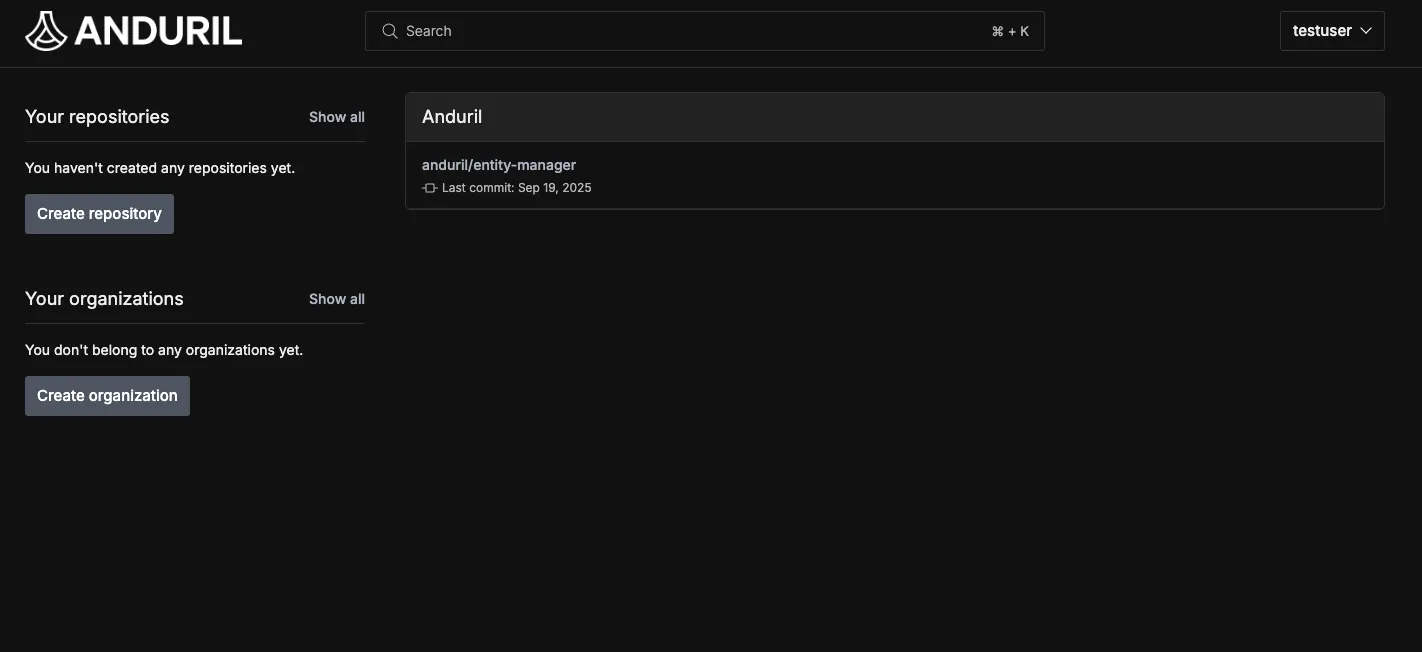
The LSR enables you to publish, share, and use schema definitions with the Protobuf Interface Definition Language. Log in with your existing Lattice Developer single sign-on (SSO).
Lattice Developer Console
The Lattice Developer Console gives you a consolidated view of your data in Lattice. Use it to inspect and debug entities, tasks, and objects. The Developer Console is now the default app on Lattice Sandboxes at https://your_lattice_url.com/developer-console, but you still have access to the operator view at https://your_lattice_url.com/c2.
Okta authentication for Lattice Sandboxes
The Lattice Sandboxes developer portal now uses Okta to manage access. The new sign-in experience replaces the previous email, password, and authenticator-app MFA flow with a passkey-based login at https://login.developer.anduril.com.
StreamTasks gRPC support
The Lattice SDK now supports streaming task updates in real-time using the gRPC API:
- Added
StreamTasksgRPC endpoint for establishing persistent connections to stream task events - Implemented Go/gRPC example demonstrating how to connect and process task streams
- Updated documentation to include gRPC usage patterns alongside existing REST examples
Key features
The StreamTasks gRPC API provides the same configurable parameters as the REST version:
heartbeatIntervalMs: Configures how frequently the server sends heartbeat events to verify connection health.excludePreexistingTasks: Controls whether to stream only new tasks created after the connection is established or include existing tasks.taskType: Allows filtering the stream by task type prefix, reducing bandwidth usage and focusing on relevant task updates.
Documentation updates
As a part of this release, the Operate on tasks guide has been updated with a Go/gRPC code example. The example demonstrates how to establish a task stream connection, process heartbeat events, and handle incoming task events using the gRPC protocol.
Cancel tasks API
The Lattice SDK now supports task cancellation through the CancelTask API
available in both REST and gRPC. This API lets an operator request to cancel, giving you greater control over task lifecycle management.
The cancellation behavior depends on the task’s current state:
- Tasks not yet sent to an agent cancel immediately and transition to a terminal state.
- Tasks already sent to an agent receive a cancellation request that the agent can accept or reject based on the task’s execution state.
Server-sent events (SSE) for tasking
The Lattice SDK now supports two new APIs that use server-sent events (SSE) for real-time task monitoring in Lattice:
- StreamTasks - For monitoring all tasks across your Lattice environment.
- StreamAsAgent - For receiving tasks assigned to specific agents.
These new features provide instant updates on task creation, status changes, and completion without the need for polling, and replace the previous polling-based approach:
OAuth 2.0 client credentials for Sandboxes
Lattice now supports machine-to-machine (M2M) authentication using the OAuth 2.0 client credentials flow. This gives you more control over permissions and improved security using short-lived tokens.
We continue to support long-lived tokens for existing Lattice deployments while we roll out this new feature.
If you have a pre-existing integration deployed to a production Lattice environment, we encourage you to work with your Anduril representative to determine a timeline for migrating to the OAuth 2.0 client credentials flow.
If you are building a new integration within Lattice Sandboxes, we encourage you to start using the OAuth 2.0 client credentials flow.
Updated SDKs
Today we have released new versions of the Lattice SDK in all four languages. This contains the following changes:
- ⚠️ Breaking change - This addresses an issue where the
centerRayPosecomponent on theEntitywas incorrectly modelled. If you were using this component, you will need to update your code to reference the new fields. - Dependency updates and other bug fixes
New SDK Versions
Today we have released new major versions of the Lattice SDK in all four languages:
This addresses an issue where the status
component on the Entity was previously incorrectly modelled. If you were using this component, you will need to update your code to reference
the new fields on the message.
Java SDK v3
The Lattice SDK for Java v3 introduces a number of changes:
- ⚠️ Breaking change - Alter how enum types are generated to support forward-compatible enums. These now follow a visitor pattern
- Fixes for SSE streaming
Java SDK Improvements
The Lattice SDK for Java 2.3.0 introduces a simplified approach for adding authentication headers to API requests:
- Added new
addHeadermethod to the Lattice client builder that eliminates the need to create customOkHttpClientinstances. - Updated all Java examples to use this new approach, resulting in cleaner, more maintainable code.
- Removed boilerplate
OkHttpClientinterceptor configuration that was previously required.
New features
The new StreamEntities API provides several configurable parameters:
preExistingOnly: Controls whether to stream only existing entities or include real-time updates.heartbeatIntervalMS: Configures how frequently the server sends heartbeat events.componentsToInclude: Allows filtering which entity components are streamed, reducing bandwidth usage and improving performance.
Documentation updates
As a part of this release, Watch entities guide has been updated with code examples in all supported languages. Each example demonstrates both basic entity streaming and filtering specific components, providing common patterns for integrating real-time entity data into your Lattice apps.
New REST SDKs
The Lattice SDK introduces improved access to the Lattice SDK with REST support. Simply install the Lattice SDK in a language of your choice to get started building with Lattice: