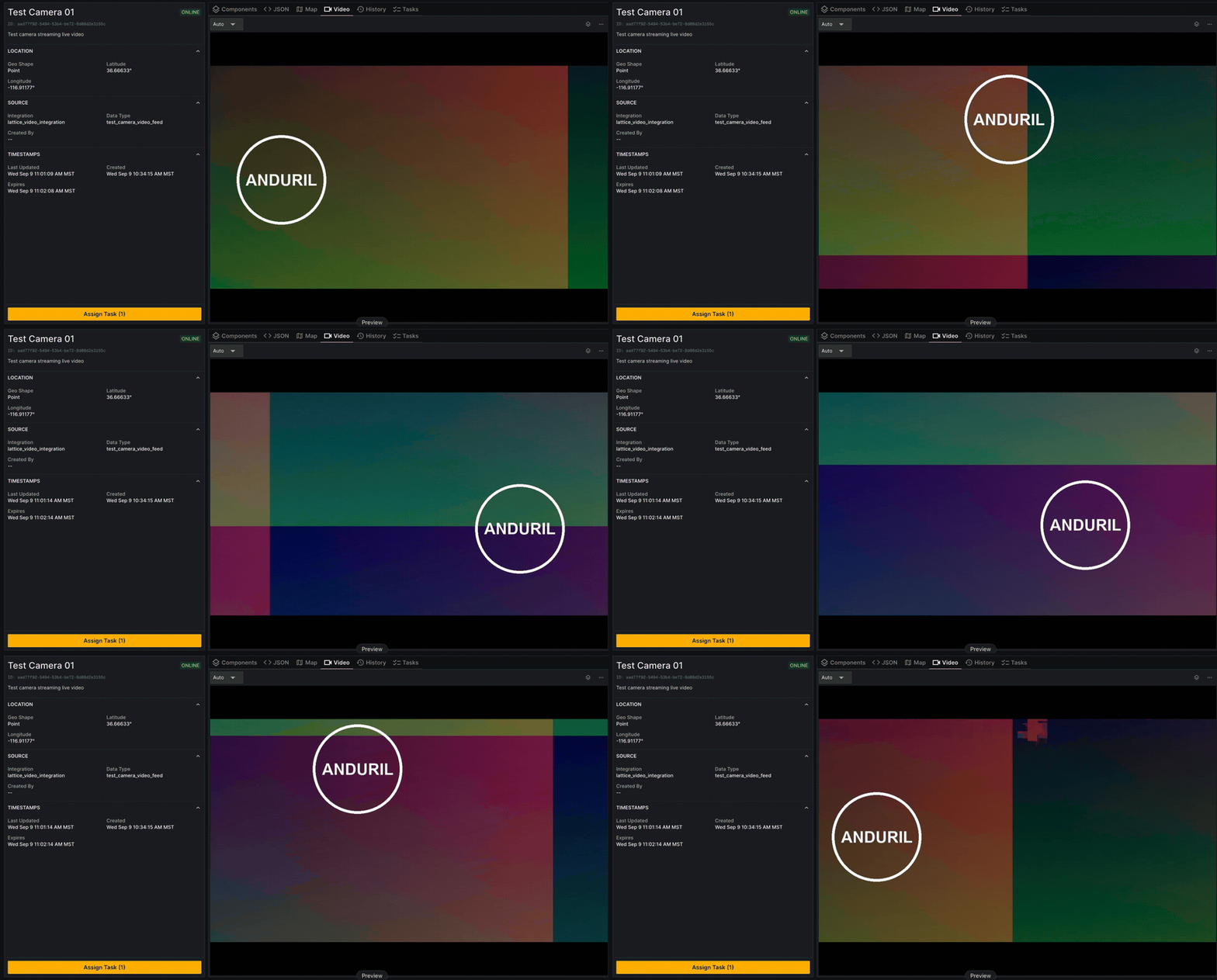
| 1 | // This Go example uses the Lattice REST SDK (lattice-sdk-go) to publish a camera asset entity. |
| 2 | // Attaching a video to an asset requires the asset to already exist as a Lattice entity, so |
| 3 | // publish the camera on a heartbeat before starting an ingress stream. |
| 4 | package main |
| 5 | |
| 6 | import ( |
| 7 | "context" |
| 8 | "fmt" |
| 9 | "net/http" |
| 10 | "os" |
| 11 | "time" |
| 12 | |
| 13 | Lattice "github.com/anduril/lattice-sdk-go/v5" |
| 14 | "github.com/anduril/lattice-sdk-go/v5/client" |
| 15 | "github.com/anduril/lattice-sdk-go/v5/option" |
| 16 | "github.com/google/uuid" |
| 17 | ) |
| 18 | |
| 19 | const ( |
| 20 | cameraName = "camera-01" |
| 21 | integrationName = "lattice_video_integration" |
| 22 | dataType = "camera_video_feed" |
| 23 | publishInterval = 5 * time.Second |
| 24 | entityExpiryTtlSecs = 60 |
| 25 | ) |
| 26 | |
| 27 | func main() { |
| 28 | // Get environment variables |
| 29 | latticeEndpoint := os.Getenv("LATTICE_ENDPOINT") |
| 30 | clientSecret := os.Getenv("LATTICE_CLIENT_SECRET") |
| 31 | clientId := os.Getenv("LATTICE_CLIENT_ID") |
| 32 | |
| 33 | // Remove sandboxesToken from the following statements if you are not developing on Sandboxes. |
| 34 | sandboxesToken := os.Getenv("SANDBOXES_TOKEN") |
| 35 | |
| 36 | // Check required environment variables |
| 37 | if latticeEndpoint == "" || clientId == "" || clientSecret == "" || sandboxesToken == "" { |
| 38 | fmt.Println("Missing required environment variables") |
| 39 | os.Exit(1) |
| 40 | } |
| 41 | |
| 42 | // Initialize headers for sandbox authorization |
| 43 | headers := http.Header{} |
| 44 | headers.Add("Anduril-Sandbox-Authorization", fmt.Sprintf("Bearer %s", sandboxesToken)) |
| 45 | |
| 46 | // Create the client |
| 47 | LatticeClient := client.NewClient( |
| 48 | option.WithClientCredentials(clientId, clientSecret), |
| 49 | option.WithBaseURL(fmt.Sprintf("https://%s", latticeEndpoint)), |
| 50 | option.WithHTTPHeader(headers), |
| 51 | ) |
| 52 | |
| 53 | // Stable entity ID derived from the camera's hardware identifier so the same |
| 54 | // physical camera maps to the same Lattice entity across restarts. |
| 55 | entityId := uuid.NewSHA1(uuid.NameSpaceURL, []byte(cameraName)).String() |
| 56 | |
| 57 | creationTime := time.Now().UTC() |
| 58 | |
| 59 | // Continuously publish the entity so it does not expire. |
| 60 | for { |
| 61 | latestTimestamp := time.Now().UTC() |
| 62 | ctx := context.Background() |
| 63 | |
| 64 | entity := Lattice.Entity{ |
| 65 | EntityID: &entityId, |
| 66 | Description: Lattice.String("EO camera streaming live video"), |
| 67 | Aliases: &Lattice.Aliases{ |
| 68 | Name: Lattice.String("Camera 01"), |
| 69 | AlternateIDs: []*Lattice.AlternateID{ |
| 70 | { |
| 71 | ID: Lattice.String(cameraName), |
| 72 | Type: Lattice.AlternateIDTypeAltIDTypeSerialNumber.Ptr(), |
| 73 | }, |
| 74 | }, |
| 75 | }, |
| 76 | IsLive: Lattice.Bool(true), |
| 77 | CreatedTime: Lattice.Time(creationTime), |
| 78 | // ExpiryTime is set in the future and paired with a shorter publish loop, |
| 79 | // so the entity stays alive as long as the publisher runs. |
| 80 | ExpiryTime: Lattice.Time(latestTimestamp.Add(entityExpiryTtlSecs * time.Second)), |
| 81 | Ontology: &Lattice.Ontology{ |
| 82 | Template: Lattice.OntologyTemplateTemplateAsset.Ptr(), |
| 83 | PlatformType: Lattice.String("CAMERA"), |
| 84 | }, |
| 85 | MilView: &Lattice.MilView{ |
| 86 | Disposition: Lattice.MilViewDispositionDispositionFriendly.Ptr(), |
| 87 | Environment: Lattice.MilViewEnvironmentEnvironmentLand.Ptr(), |
| 88 | Nationality: Lattice.MilViewNationalityNationalityUnitedStatesOfAmerica.Ptr(), |
| 89 | }, |
| 90 | // Overall classification of the entity's data. |
| 91 | DataClassification: &Lattice.Classification{ |
| 92 | Default: &Lattice.ClassificationInformation{ |
| 93 | Level: Lattice.ClassificationInformationLevelClassificationLevelsUnclassified.Ptr(), |
| 94 | }, |
| 95 | }, |
| 96 | Location: &Lattice.Location{ |
| 97 | Position: &Lattice.Position{ |
| 98 | LatitudeDegrees: Lattice.Float64(36.66633492530301), |
| 99 | LongitudeDegrees: Lattice.Float64(-116.9117674522639), |
| 100 | AltitudeHaeMeters: Lattice.Float64(780.0), |
| 101 | }, |
| 102 | }, |
| 103 | Provenance: &Lattice.Provenance{ |
| 104 | IntegrationName: Lattice.String(integrationName), |
| 105 | DataType: Lattice.String(dataType), |
| 106 | SourceUpdateTime: Lattice.Time(latestTimestamp), |
| 107 | }, |
| 108 | Health: &Lattice.Health{ |
| 109 | ConnectionStatus: Lattice.HealthConnectionStatusConnectionStatusOnline.Ptr(), |
| 110 | HealthStatus: Lattice.HealthHealthStatusHealthStatusHealthy.Ptr(), |
| 111 | ActiveAlerts: []*Lattice.Alert{}, |
| 112 | UpdateTime: Lattice.Time(latestTimestamp), |
| 113 | // Per-subsystem health rolls up into the entity's overall |
| 114 | // health_status; report at least the camera sensor itself. |
| 115 | Components: []*Lattice.ComponentHealth{ |
| 116 | { |
| 117 | ID: Lattice.String("camera-01-eo"), |
| 118 | Name: Lattice.String("EO camera sensor"), |
| 119 | Health: Lattice.ComponentHealthHealthHealthStatusHealthy.Ptr(), |
| 120 | UpdateTime: Lattice.Time(latestTimestamp), |
| 121 | }, |
| 122 | }, |
| 123 | }, |
| 124 | // Declare the camera as a sensor so Lattice can render the sensor cone. |
| 125 | Sensors: &Lattice.Sensors{ |
| 126 | Sensors: []*Lattice.Sensor{ |
| 127 | { |
| 128 | SensorID: Lattice.String("camera-01-eo"), |
| 129 | SensorType: Lattice.SensorSensorTypeSensorTypeCamera.Ptr(), |
| 130 | OperationalState: Lattice.SensorOperationalStateOperationalStateOperational.Ptr(), |
| 131 | SensorDescription: Lattice.String("EO camera, H.264"), |
| 132 | FieldsOfView: []*Lattice.FieldOfView{ |
| 133 | { |
| 134 | CenterRayPose: &Lattice.EntityManagerPose{ |
| 135 | Orientation: &Lattice.Quaternion{ |
| 136 | X: Lattice.Float64(0.0), |
| 137 | Y: Lattice.Float64(0.0), |
| 138 | Z: Lattice.Float64(0.0), |
| 139 | W: Lattice.Float64(1.0), |
| 140 | }, |
| 141 | }, |
| 142 | HorizontalFov: Lattice.Float64(1.204), // ~69 deg (typical EO horizontal FoV) |
| 143 | VerticalFov: Lattice.Float64(0.954), // ~54.6 deg (typical EO vertical FoV) |
| 144 | Range: Lattice.Float64(150.0), |
| 145 | Mode: Lattice.FieldOfViewModeSensorModeSearch.Ptr(), |
| 146 | }, |
| 147 | }, |
| 148 | }, |
| 149 | }, |
| 150 | }, |
| 151 | TaskCatalog: &Lattice.TaskCatalog{ |
| 152 | TaskDefinitions: []*Lattice.TaskDefinition{ |
| 153 | {TaskSpecificationURL: Lattice.String("type.googleapis.com/<org>.<package>.<version>.<task>")}, |
| 154 | }, |
| 155 | }, |
| 156 | } |
| 157 | |
| 158 | // Publish the entity |
| 159 | _, err := LatticeClient.Entities.PublishEntity(ctx, &entity) |
| 160 | if err != nil { |
| 161 | fmt.Printf("Error publishing entity: %v\n", err) |
| 162 | } else { |
| 163 | fmt.Printf("Publishing asset with entity ID: %s\n", entityId) |
| 164 | } |
| 165 | |
| 166 | time.Sleep(publishInterval) |
| 167 | } |
| 168 | } |